Kusan City of Wolves Day-One Guide
What to do in the first hour, first evening, and first week of the July 30 launch.
Launch day is here
Kusan City of Wolves launches July 30, 2026. CIRCLEfromDOT and PQube are shipping a hardcore top-down shooter where one mistake ends a run, so the first session sets the tone for every chapter that follows. This Day-One Guide is a focused checklist: what to do in the first hour, how to structure your first evening, and which habits carry into the first week.
If you practiced in the demo, you already know the one-hit-death rhythm. If this is your first time, read Getting Started and How to Play before touching the campaign. For broader launch-week news, use the Updates Hub. For a deeper prep plan, see Launch Prep.
The first hour: survive, do not score
Your first hour is about orientation, not leaderboard dreams. Follow this order:
- Install and patch. Confirm the game boots cleanly on your platform. PC players should update GPU drivers first.
- Remap controls. Use PC Controls or Console Controls to set bindings you can sustain for hours. Do this now—ten hours of bad muscle memory is expensive.
- Play the tutorial or first chapter slowly. Read every prompt. Name threats at each doorway.
- Do not chase S-Rank. Your first clear of any stage is for survival orientation.
- Spend Bolts immediately. Do not hoard. Buy one War Hand upgrade that helps this room, not a fantasy endgame build—see War Hand and Bolts.
If a stage kills you three times in the same spot, name the mistake out loud before restarting. Vague blame teaches nothing.
The first evening: build three habits
By the end of your first evening, these three habits should feel natural:
Habit 1 — Threat naming
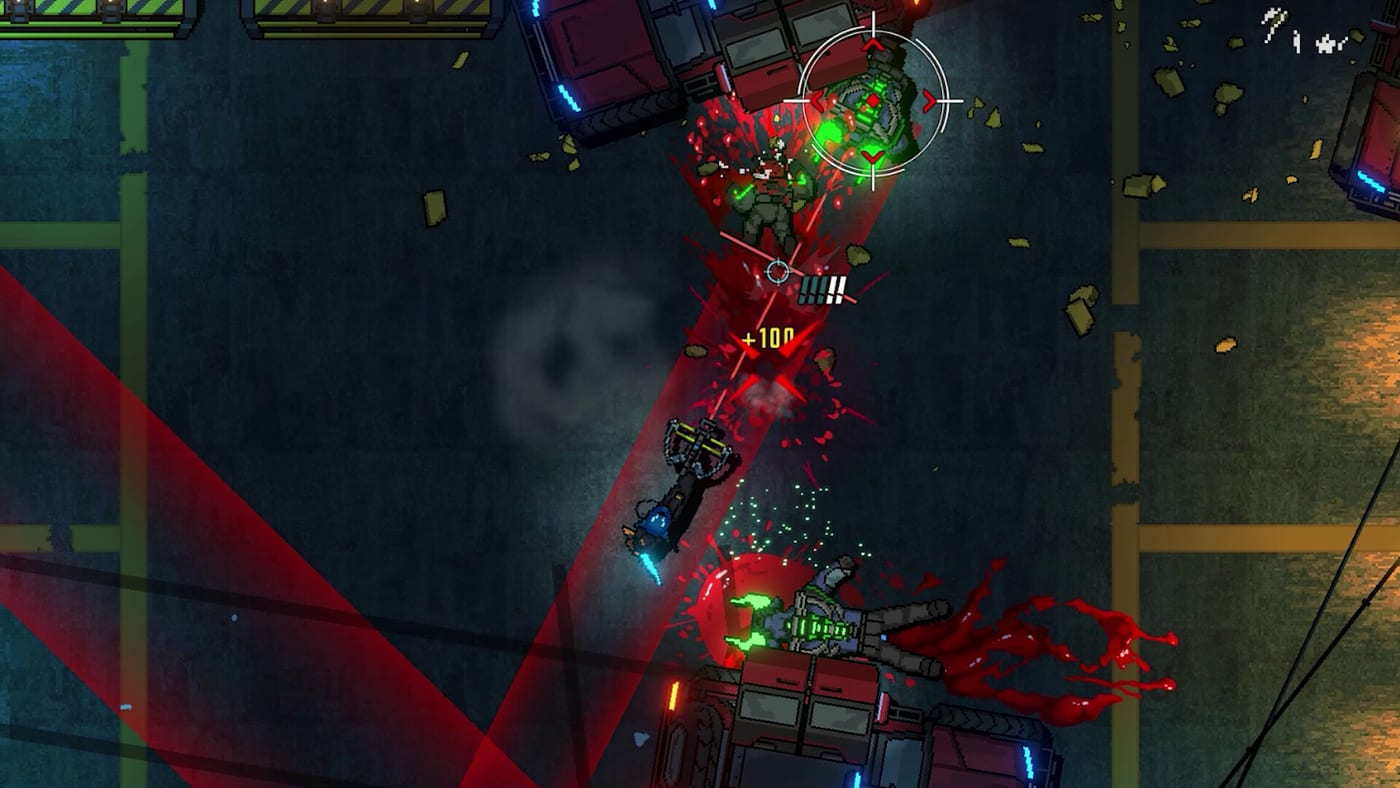
Pause at every doorway. Count gunners, melee rushers, and destructible props. Pick your first Quantum Knife target on purpose. Read Quantum Knife if the auto-targeting feels random.
Habit 2 — Bolts on time
Every stage should include at least one Bolts spend. Smash props on your route, chain kills for style, then buy a mid-run upgrade before the next dense room. If you finish a stage with a full wallet and a stack of deaths, you practiced the wrong lesson.
Habit 3 — Clean resets
After every death:
- Name the mistake in one sentence.
- Name the fix in one sentence.
- Restart immediately.
Examples: “wrong knife facing,” “smash into open gunfire,” “shop hesitation,” “greedy boss punish.” If you cannot name the mistake, you are not learning—you are gambling.
The first week: from survival to style
Once survival feels automatic, layer in style:
Day 1–2: Survival clears only. No score obsession. Focus on entry angles.
Day 3–4: Add Quantum Knife → War Hand finishers every room. Read Parry and Combos for convert habits.
Day 5–6: Force a Bolts spend every stage. Read Loadout Builds for archetype ideas.
Day 7: Attempt one stylish clear and compare notes with S-Rank. Log stubborn stages in the S-Rank Tracker.
Boss encounters: patience over greed
Early bosses exist to teach patience under pressure. When a kingpin telegraphs a pattern:
- Survive one full cycle without attacking.
- Name the punish window out loud.
- Strike only on confirmed openings.
- Leave after the punish—do not extend into the next telegraph.
The Boss Guide covers specific encounters. Pair it with Stages Overview for chapter structure.
Story without spoilers
Graphic-novel cutscenes introduce Jin, Haru, and the city’s conspiracy. Watch enough to care about the mission, then stop doom-scrolling lore threads if they steal practice time. The Story Overview keeps context spoiler-light. The Storytelling Cutscenes page explains the presentation craft.
Platform-specific notes
- PC: Confirm stable frames. S-Rank attempts hate hitching more than medium textures.
- PlayStation 5: DualSense adaptive triggers add weight—lower resistance if fingers fatigue.
- Xbox Series: Trigger travel is strong for top-down shooters; use the Xbox accessories app only if you need custom profiles.
- Switch: Handheld sessions benefit from lower sensitivity and deliberate breaks. See Switch Demo for portable tips.
What NOT to do on day one
- Chase S-Rank before surviving two rooms cleanly
- Hoard Bolts through early chapters
- Open ten lore wiki tabs instead of one deliberate practice block
- Compare your clears to someone who played the demo for 200 hours
- Skip remapping controls because defaults feel fine for five minutes
Cross-links
- Launch Prep — broader pre-launch checklist
- Demo Reception — Steam feedback context
- Guides Hub — all combat systems
- Tools Hub — S-Rank Tracker and Bolts Planner
- Updates Hub — news index
Final note
Day one is not a competition. It is the first chapter of a 54-stage relationship with Kusan’s neon streets. Survive first, spend Bolts on time, name your mistakes, and keep the wiki hubs bookmarked. The S-Ranks come later—when your hands already know the rhythm Loptimist’s soundtrack is pushing.
Frequently Asked Questions
Quick answers to the most common questions.
What should I do in my first hour of Kusan City of Wolves?
Install, remap controls, play the first chapter slowly for survival, and spend Bolts immediately on one War Hand upgrade.
Should I chase S-Rank on day one?
No. Focus on clean survival clears first. Style scores collapse if you die; survive first, then polish.
When should I start spending Bolts?
Immediately. Every stage should include at least one Bolts spend. Mid-run upgrades change the next fight, not a fantasy endgame.
How do I handle boss encounters on day one?
Survive one full attack cycle without attacking, name the punish window, then strike only on confirmed openings.
What wiki pages should I bookmark for day one?
Getting Started, How to Play, this Day-One Guide, and the S-Rank Tracker for later.